
Automating supplier onboarding: from weeks to days
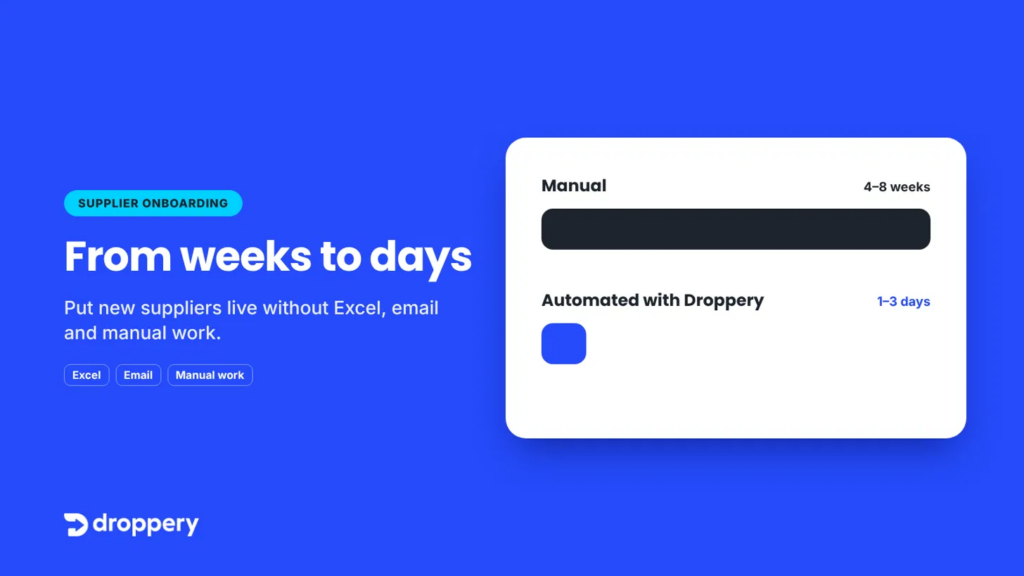
Short answer: You automate supplier onboarding by connecting suppliers once via ERP, FTP, EDI or API. Product data is then automatically imported, mapped and validated, while inventory and orders are synchronized in real time. This reduces the lead time for a new supplier from weeks to days, without Excel files or manual work.
There is one question almost every retailer knows and no one likes to ask out loud: why does it take six weeks before a new supplier’s products are online?
The contract has been signed. The supplier is enthusiastic. The products fit your assortment perfectly. And yet, for weeks, nothing visible happens. Excel files go back and forth, columns do not match, images are missing and stock levels are already outdated before they go live.
That is not an exception. This is how supplier onboarding works in most webshops. It simply does not have to work that way.
What is supplier onboarding?
Supplier onboarding is the process of connecting a new supplier to your sales channels. It includes:
- receiving and processing product data (titles, descriptions, EAN codes, prices, images)
- mapping that data to your categories and fields
- setting up inventory synchronization
- setting up the order flow to the supplier (especially for dropshipping)
- agreements on delivery times, shipping and returns
With one supplier, that is manageable. With ten, twenty or fifty suppliers, it becomes the biggest brake on your growth.
Why manual onboarding takes weeks
The delay is rarely in one big step. It is in dozens of small steps that are waiting on one another.
1. Every supplier provides data differently
One sends an Excel file, another a CSV via FTP, a third has a PDF price list. Column names, units and categories differ from one supplier to another.
2. Cleaning data is manual work
Titles are too long, descriptions are missing, EAN codes are invalid, images have the wrong resolution. Someone on your team has to fix that line by line.
3. Every correction means another email round
Missing data means waiting for the supplier. One question can cost days.
4. Inventory and orders do not move with it
Even when products are online, inventory is often just a snapshot. Without an integration, you sell products that are no longer available. Orders are sent to the supplier by email or phone.
5. It repeats with every new supplier
Nothing is reused. Supplier number twenty takes just as much time as supplier number one.
The result: new products go online weeks later than necessary, your team gets stuck in administration and suppliers lose their enthusiasm before the first order arrives.
The cost of slow supplier onboarding
Slow onboarding costs more than just time:
- Lost revenue: every week an assortment is not online is a week without sales. For seasonal products, that can cost the entire season.
- Higher operational costs: product managers and content staff spend their time copying data instead of selling.
- More errors: manual entry leads to incorrect prices, missing specifications and overselling.
- A worse supplier relationship: a supplier who has to wait for weeks will choose another retailer more quickly.
- Limited scalability: you cannot expand your assortment faster than your team can process it manually.
The core issue: the number of suppliers you can connect is determined by your processes, not by your ambition.
Automating supplier onboarding in 5 steps
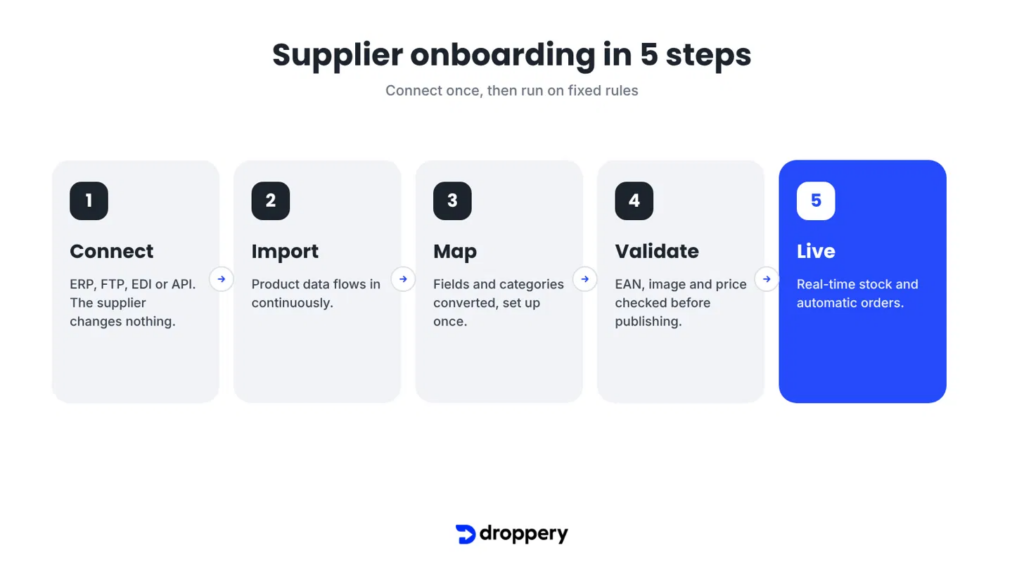
With automated onboarding, you connect a supplier once. After that, everything runs according to fixed rules instead of manual work.
Step 1: Connect
You connect the supplier’s system to your platform. This can be done in different ways, depending on what the supplier uses:
- via the ERP package, for example Exact Online or AFAS
- via a product feed on FTP (FTP integration)
- via EDI for larger suppliers (EDI integration)
- via a REST API (API integration)
The most important point: the supplier does not need to change the way it works. You connect to what is already there. View all available supplier integrations.
Step 2: Import
As soon as the connection is active, product data is imported automatically. This does not happen once, but continuously. New products, price changes and discontinued items are included automatically.
Step 3: Map
The supplier’s fields and categories are converted to your structure using rules. “Kleur”, “Colour” and “Farbe” become one field. The supplier category “Bijzettafels” automatically falls into your category “Living room > Tables”. You set those rules once.
Step 4: Validate
Before anything goes live, the system checks the data. Is an EAN code missing? Is there no image? Is the price illogical? Errors become visible before publication, not only when a customer complains.
Step 5: Go live, with real-time inventory and orders
Products are published in your webshop, for example WooCommerce, Shopify, Shopware or PrestaShop. Inventory is synchronized continuously and orders are automatically sent to the supplier. This also makes dropshipping without inventory stress possible.
Manual vs automated: the difference at a glance
| Component | Manual | Automated with Droppery |
|---|---|---|
| Providing product data | Excel by email | Automatic feed or integration |
| Cleaning data | Row by row | Mapping rules, set once |
| Updating inventory | Daily or weekly | Real time |
| Forwarding orders | Email or phone | Automatic |
| Risk of errors | High | Minimal, thanks to prior validation |
| Lead time for a new supplier | Often 4 to 8 weeks | A few days |
| Time for supplier number 20 | As long as number 1 | Shorter, because rules are reused |
Real-world example: De Eekhoorn / WOOOD
Furniture supplier De Eekhoorn / WOOOD processes retailer orders through Droppery. The result:
- 22% less processing time per order
- 97% fewer errors in order processing
- Orders processed the same day
This shows that automation does not only speed up onboarding. It also improves everything that comes afterwards.
What does it deliver for suppliers?
Automating supplier onboarding is not only interesting for retailers. Suppliers and brands benefit as well:
- One integration, many retailers: you connect once and become accessible to retailers in the Netherlands, Belgium, Germany and France.
- No custom files per retailer: your data goes out in one format.
- Faster revenue: your products are online at new points of sale within a few days.
- Fewer support questions: inventory and order status are always up to date.
Are you a supplier? Read more on Droppery for suppliers or view the Vendor solution.
Checklist: is your onboarding process ready for growth?
Answer these questions honestly:
- [ ] Can we have a new supplier live within one week?
- [ ] Does product data arrive automatically, without Excel files by email?
- [ ] Is supplier inventory visible in real time in our webshop?
- [ ] Are orders automatically sent to the supplier?
- [ ] Are errors in product data identified before publication?
- [ ] Is supplier number twenty connected faster than supplier number one?
Three or more “no” answers? Then onboarding is your biggest brake on growth and also your biggest opportunity.
Conclusion
Supplier onboarding is not an administrative by-product. It determines how quickly your assortment grows, how much time your team spends on valuable work and how attractive you are to new suppliers.
Retailers that automate onboarding gain on three fronts: they go live faster, make fewer errors and can scale without the team having to grow proportionally. Going from weeks to days is not a promise. It is the logical result of connecting properly once instead of repeating manual work every time.
Curious how quickly your next supplier can go live? Request a demo and discover how Droppery automatically connects suppliers and retailers.
Frequently asked questions about supplier onboarding
What is supplier onboarding?
Supplier onboarding is the process in which a retailer connects a new supplier to its sales channels. It includes processing product data, setting up inventory synchronization and establishing the order flow.
How long does supplier onboarding take on average?
With manual processes, it often takes 4 to 8 weeks in practice, depending on data quality and the number of correction rounds. With an automated integration, a supplier can go live within a few days.
How do I automate supplier onboarding?
Connect the supplier’s system (ERP, FTP, EDI or API) to an integration platform such as Droppery. Set up mapping rules for fields and categories once. Product data, inventory and orders are then processed automatically.
Does the supplier need to adapt its systems?
No. A good integration platform connects to what the supplier already uses, such as Exact Online, AFAS, an FTP feed, EDI or an API.
Which webshop platforms does Droppery work with?
Droppery connects with Shopify, WooCommerce, PrestaShop, Shopware, Shopline, Magento and Lightspeed, among others.
Is automated onboarding also suitable for dropshipping?
Yes. Because inventory is synchronized in real time and orders are automatically sent to the supplier, automated onboarding is the foundation for reliable dropshipping without holding your own inventory.
What does automating supplier onboarding cost?
That depends on the number of suppliers and integrations. Request a demo for an estimate that fits your situation.
Droppery connects suppliers and retailers in the Netherlands, Belgium, Germany and France through one B2B commerce platform. More about Droppery · Become a partner