Connect Odoo to Retailers and Suppliers: How to Automate Product Data, Inventory and Orders in 2026
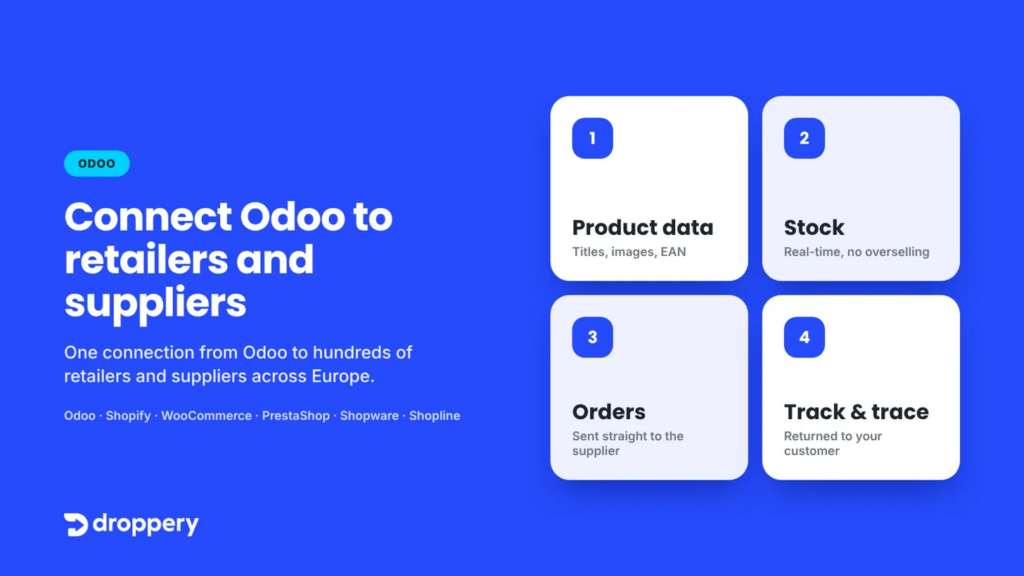
In brief: You connect Odoo to retailers and suppliers through an integration platform such as Droppery. This means you do not need to build a separate API integration for every trading partner. Product data, real-time inventory, orders and track & trace information flow automatically between Odoo and your partners. Suppliers gain new sales channels. Retailers expand their product range without purchasing inventory themselves.
Odoo is one of Europe’s most popular ERP systems. It does almost everything: inventory management, purchasing, invoicing, CRM and e-commerce. Yet many businesses encounter the same problem. Odoo communicates well within its own environment, but not automatically with your trading partners.
The result: Excel inventory lists, orders that must be re-entered manually and product data that has to be supplied again for each retailer. In this article, you will learn how to connect Odoo intelligently to retailers and suppliers, which approaches are available and why one platform integration often works better than ten separate API projects.
1. Why Connect Odoo to Retailers and Suppliers?
Every manual step between your Odoo environment and your trading partner takes time and creates errors. The most common pain points are:
- Inventory is out of sync. A retailer sells a product that is already out of stock at the supplier.
- Product data is fragmented. Each retailer wants a different format, different images and different translations.
- Orders arrive by email, through portals and in CSV files. Someone has to enter all of them into Odoo.
- Track & trace information is not sent back automatically. The end customer calls the retailer, and the retailer calls you.
A good integration eliminates all these steps. The main benefit is that you can grow your revenue and trading partner network without having to grow your team at the same rate.
2. What Needs to Be Synchronised Between Odoo and Your Partners?
A complete B2B integration with Odoo covers five data flows:
| Data flow | Direction | Result |
|---|---|---|
| Product data (titles, descriptions, images, EANs) | Supplier → retailer | Products go live within minutes |
| Prices and margins | Supplier → retailer | Purchase prices and recommended retail prices are always up to date |
| Real-time inventory | Supplier → retailer | No more overselling |
| Orders | Retailer → supplier | Automatic order processing in Odoo |
| Shipping status and track & trace | Supplier → retailer → consumer | Fewer customer enquiries, better reviews |
3. Three Ways to Connect Odoo
Option 1: Separate API Integrations for Each Partner
Odoo has an extensive API (XML-RPC/JSON-RPC). You can have a custom integration built for each retailer or supplier.
Advantage: full control.
Disadvantage: every new partner means a new project, with its own maintenance, mapping and error handling. With ten partners, you have ten integrations that can break with every Odoo update.
Option 2: Odoo’s Standard Dropshipping Module
Odoo has its own Dropshipping module, which automatically sends purchase orders to a supplier when a customer places an order.
Advantage: simple to use within Odoo.
Disadvantage: the module manages the process within your own Odoo environment, but does not connect you to new retailers or suppliers. You still need to manage product data, inventory feeds and finding partners yourself.
Option 3: One Connection to a B2B Integration Platform
You connect Odoo once to a platform such as Droppery. That platform is already connected to retailers using Shopify, WooCommerce, PrestaShop, Shopware and Shopline, as well as to suppliers and brands across Europe.
Advantage: one connection, access to an entire network. Adding new partners requires no development time.
Disadvantage: you work within the platform’s standards. For most businesses, that is actually an advantage.
4. How Does Connecting Odoo Through Droppery Work?
Droppery is an Amsterdam-based B2B commerce infrastructure platform that has connected suppliers and retailers in the Netherlands, Belgium, Germany and France since 2021. Its backend contains more than 550,000 products from European suppliers and brands.
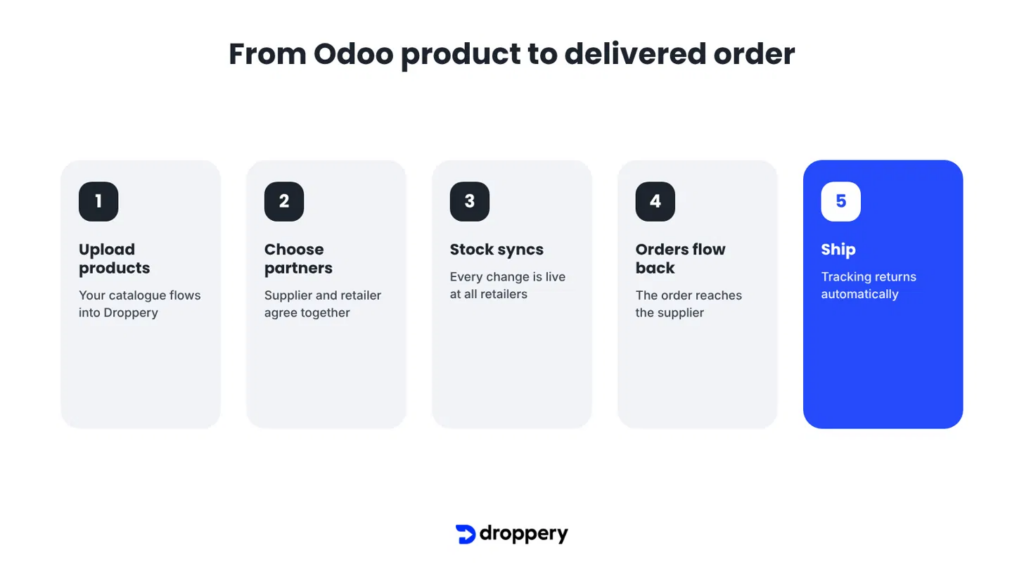
Odoo users connect through the Droppery API or a product feed. The process then works as follows:
- Upload product data: your Odoo assortment (including images, EANs and translations) is imported into Droppery.
- Choose partners: as a supplier, you decide which retailers may sell your products. As a retailer, you choose which suppliers to add.
- Inventory synchronises automatically: changes in Odoo are immediately visible to all connected retailers.
- Orders flow back automatically: an order placed in the retailer’s webshop reaches the supplier as an order.
- Shipping and track & trace: the supplier ships directly to the consumer, and the shipping status is automatically sent back to the retailer.
5. What Are the Benefits?
For suppliers and brands using Odoo:
- New sales channels without an additional sales team.
- Full control over which retailers sell your products.
- No more manual order entry.
- Access to retailers in four countries through one connection.
For retailers using Odoo:
- Expand your product range without purchasing inventory.
- No risk of dead stock.
- Product data and translations are provided.
- Products from reliable European suppliers with fast delivery times.
6. Checklist: Is Your Odoo Ready for an Integration?
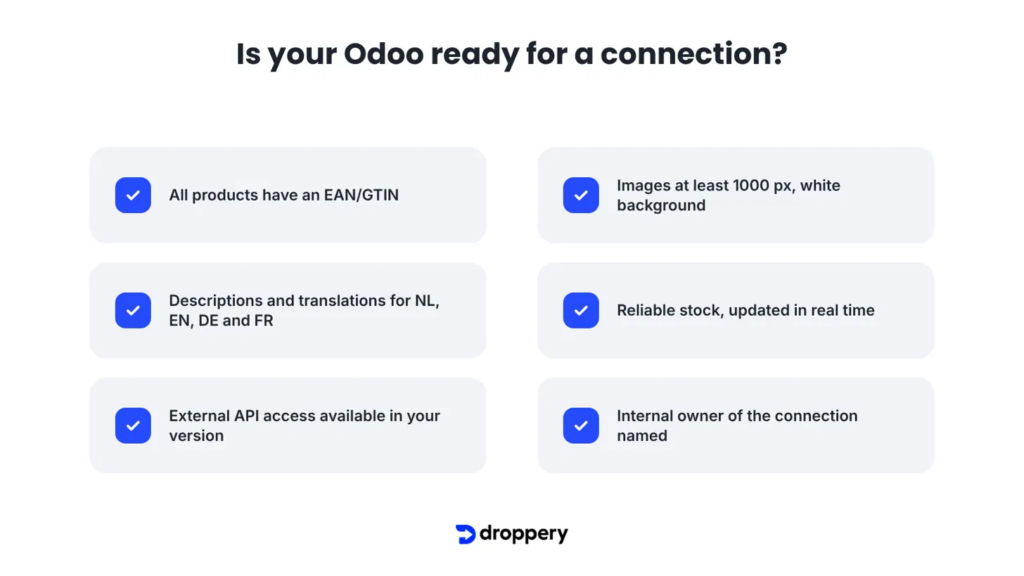
Go through these points before getting started:
- Do all your products have an EAN/GTIN?
- Do you have good product images (at least 1,000 px, white background)?
- Are descriptions and translations complete for NL, EN, DE and FR?
- Is your inventory in Odoo reliable and updated in real time?
- Is external API access available in your Odoo version and subscription?
- Do you know who is responsible for the integration internally?
7. Common Mistakes When Integrating Odoo
- Starting with custom development. Many businesses first have a separate API built, only to discover by their third partner that it does not scale.
- Incomplete product data. An integration is only as good as the data going into it.
- No agreements on returns and delivery times. Establish these before the first order arrives.
- Synchronising inventory with a delay. One update per day is not enough. Real-time or near-real-time updates prevent overselling.
Frequently Asked Questions About Connecting Odoo to Retailers and Suppliers
Can I connect Odoo to several retailers at the same time?
Yes. With an integration platform such as Droppery, you connect Odoo once and gain access to several retailers using Shopify, WooCommerce, PrestaShop, Shopware and Shopline.
Do I need a developer to connect Odoo?
For a separate API integration, usually yes. Through a platform such as Droppery, the technical barrier is lower because the connections to retailers already exist.
Does this work with Odoo Community and Odoo Enterprise?
That depends on the integration method you choose and whether external API access is available for your version and hosting setup (Odoo Online, Odoo.sh or on-premise). Check this in advance.
What is the difference between Odoo’s Dropshipping module and Droppery?
The Odoo module automates the dropshipping process within your own Odoo environment. Droppery also connects you to a network of retailers and suppliers and handles product data, inventory synchronisation and order processing between businesses.
How do I prevent overselling with an Odoo integration?
By synchronising inventory in real time or near real time between Odoo and all sales channels. That way, retailers always see the supplier’s current inventory.
Which countries does Droppery operate in?
Droppery connects suppliers and retailers in the Netherlands, Belgium, Germany and France.
How much does it cost to connect Odoo through Droppery?
That depends on your role (supplier or retailer), the number of products and the package you choose. Contact us for a tailored proposal.
Conclusion: Connect Odoo Once, Grow With Everyone
Odoo is a strong foundation for your business. Real growth comes from connecting with your trading partners. Building a separate API for each partner creates technical debt. With one connection to a B2B integration platform such as Droppery, you gain access to an entire network of retailers and suppliers, with automated product data, real-time inventory and order processing.
Want to know how your Odoo environment can connect to Droppery?
Arrange a call via info@droppery.io or call +31 20 210 1895. Are you a retailer? Register your webshop directly.